
Introduction
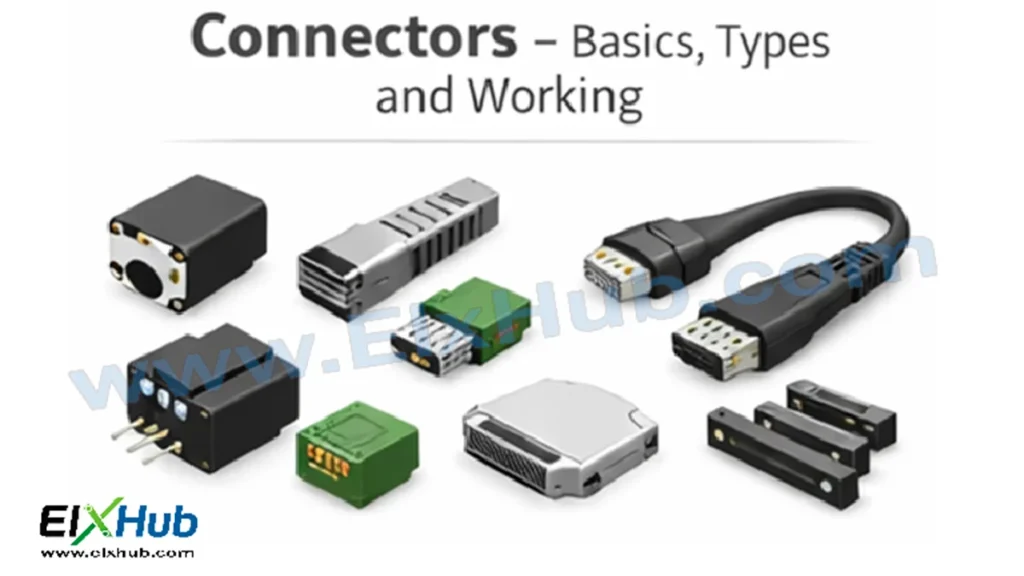
Connectors are one of the most fundamental yet often overlooked elements in Basic Electronics. Every electronic system, from a simple breadboard project to complex industrial machinery, relies on connectors to establish secure and reliable electrical connections between circuits, components, cables, and devices. Without connectors, assembling, maintaining, testing, or upgrading electronic systems would be extremely difficult and unsafe.
For beginners, connectors represent the practical side of electronics where theory meets real hardware. They allow signals, power, and data to flow between different parts of a system while providing mechanical support and electrical reliability. Understanding connectors is essential for anyone learning electronics, as poor connector selection or improper use is one of the most common causes of circuit failure.
This article provides a complete beginner-to-intermediate guide to connectors, explaining their basics, construction, working principles, major types, specifications, advantages, limitations, and real-world applications. Image placeholders are included throughout, and a complete image reference table with feature image details is provided at the end, strictly following your locked preferences.
[Image Placeholder: Feature image showing various electronic connectors used in circuits]
What Are Connectors?
A connector is an electromechanical component used to join electrical circuits together. It provides a removable interface that allows signals or power to pass from one part of a system to another without permanently joining them.
Unlike soldered joints, connectors allow:
Easy assembly and disassembly
Maintenance and replacement
System expansion and upgrades
Safe and organized wiring
Connectors typically consist of mating parts, such as plugs and sockets, that fit together to form an electrical and mechanical connection.
[Image Placeholder: Basic connector plug and socket illustration]
Why Connectors Are Important in Electronics
Connectors play a critical role in ensuring reliability, safety, and performance in electronic systems.
| Importance | Explanation |
|---|---|
| Modularity | Allows systems to be built in sections |
| Maintenance | Easy replacement of faulty parts |
| Safety | Reduces accidental short circuits |
| Signal integrity | Ensures stable electrical contact |
| Standardization | Enables compatibility between devices |
[Image Placeholder: Modular electronics system using connectors]
Basic Construction of a Connector
Although connectors vary widely in shape and size, most share common structural elements.
| Component | Function |
|---|---|
| Contact | Conducts electrical signal or power |
| Housing | Insulates and supports contacts |
| Insulator | Prevents short circuits |
| Locking mechanism | Holds connector securely |
| Shield (optional) | Protects against EMI and noise |
[Image Placeholder: Connector internal construction diagram]
Working Principle of Connectors
The working of a connector is based on physical contact between conductive terminals. When two connector halves are mated, their contacts touch or slide against each other, creating a low-resistance electrical path.
Key aspects of connector operation:
Spring-loaded or fixed contacts ensure pressure
Metal-to-metal contact enables conduction
Housing maintains alignment and insulation
Locking prevents accidental disconnection
[Image Placeholder: Connector mating and contact engagement]
Classification of Connectors
Connectors can be classified in several ways depending on their use, structure, and electrical characteristics.
Classification Based on Gender
Connectors are often described as male or female.
| Type | Description |
|---|---|
| Male connector | Has exposed pins |
| Female connector | Has sockets or holes |
[Image Placeholder: Male and female connectors comparison]
Classification Based on Function
Based on what they carry, connectors are grouped as:
Power connectors
Signal connectors
Data connectors
[Image Placeholder: Power vs signal connectors]
Classification Based on Mounting Style
Connectors are also classified by how they are mounted.
| Mounting Type | Description |
|---|---|
| Panel-mount | Fixed to enclosure or panel |
| PCB-mount | Soldered directly to PCB |
| Cable-mount | Attached to wires or cables |
[Image Placeholder: PCB mount and panel mount connectors]
Common Types of Connectors in Electronics
Breadboard and Jumper Connectors
Used mainly in prototyping and learning environments.
Features:
Easy to insert and remove
No soldering required
Applications:
Educational projects
Rapid prototyping
[Image Placeholder: Breadboard jumper wires]
Pin Headers and Sockets
Widely used on PCBs for modular connections.
| Type | Description |
|---|---|
| Male header | Pins exposed |
| Female header | Receptacle for pins |
[Image Placeholder: Pin header and socket on PCB]
Terminal Blocks
Terminal blocks allow wires to be clamped using screws or springs.
Advantages:
Strong mechanical connection
Suitable for high current
Applications:
Power supplies
Industrial control panels
[Image Placeholder: Screw terminal block]
USB Connectors
Universal Serial Bus connectors are common in consumer electronics.
Common types:
USB Type-A
USB Type-B
USB Type-C
Applications:
Data transfer
Charging
[Image Placeholder: USB connector types]
Audio and Video Connectors
Used for sound and video signal transmission.
Examples:
3.5mm audio jack
RCA connectors
HDMI
[Image Placeholder: Audio and video connectors]
DC Power Connectors
Used to supply DC voltage to circuits and devices.
Examples:
Barrel jack
DC plug
[Image Placeholder: DC barrel jack connector]
Coaxial Connectors
Designed for high-frequency signals.
Examples:
BNC
SMA
Applications:
RF circuits
Communication systems
[Image Placeholder: Coaxial connector]
Ribbon Cable Connectors
Used to connect multiple signals in parallel.
Applications:
Computer internals
Display connections
[Image Placeholder: Ribbon cable and IDC connector]
Automotive Connectors
Designed to withstand vibration, heat, and moisture.
Applications:
Vehicle wiring harnesses
[Image Placeholder: Automotive electrical connectors]
Connector Electrical Specifications
Selecting a connector requires understanding its specifications.
| Parameter | Description |
|---|---|
| Current rating | Maximum current it can carry |
| Voltage rating | Maximum safe operating voltage |
| Contact resistance | Resistance at contact interface |
| Insulation resistance | Resistance between contacts |
| Temperature range | Safe operating temperature |
[Image Placeholder: Connector specification label]
Mechanical Specifications
Mechanical factors are just as important as electrical ones.
| Parameter | Explanation |
|---|---|
| Mating cycles | Number of connect/disconnect operations |
| Locking strength | Resistance to vibration |
| Cable strain relief | Protection against wire damage |
[Image Placeholder: Connector locking mechanism]
Shielded vs Unshielded Connectors
Shielded connectors include a metal shell to reduce electromagnetic interference.
| Type | Advantage |
|---|---|
| Shielded | Better noise immunity |
| Unshielded | Lower cost, simpler |
[Image Placeholder: Shielded connector construction]
Advantages of Using Connectors
Easy assembly and disassembly
Improved safety
Professional wiring appearance
Flexibility in design
[Image Placeholder: Organized wiring using connectors]
Limitations of Connectors
Can loosen over time
Adds contact resistance
May increase cost
Susceptible to corrosion
[Image Placeholder: Worn-out connector contacts]
Applications of Connectors
Connectors are used in nearly every electronic system.
| Field | Applications |
|---|---|
| Consumer electronics | Chargers, headphones |
| Computers | Motherboards, peripherals |
| Industrial systems | Control panels |
| Automotive | Wiring harnesses |
| Medical devices | Sensors and instruments |
[Image Placeholder: Connector usage in various industries]
Connectors in Beginner Electronics Projects
For beginners, connectors are essential tools for safe experimentation.
Common uses:
Connecting sensors to microcontrollers
Power supply connections
Prototyping on breadboards
[Image Placeholder: Beginner electronics project using connectors]
Connector Selection Tips
Choose connectors based on:
Voltage and current needs
Environment (heat, moisture)
Mechanical strength
Ease of use
[Image Placeholder: Choosing the right connector]
Safety Practices When Using Connectors
Always power off before connecting
Use connectors within ratings
Avoid loose connections
Inspect for corrosion or damage
[Image Placeholder: Electrical safety with connectors]
Future Trends in Connectors
Modern connectors are evolving to support:
Higher data rates
Smaller form factors
Improved durability
Smart locking mechanisms
[Image Placeholder: Future connector technology concept]
Conclusion
Connectors are a vital building block of basic electronics. They provide the physical and electrical link that allows circuits and systems to function reliably and safely. From simple jumper wires to advanced high-speed data connectors, understanding connectors empowers beginners to design, assemble, and troubleshoot electronic systems effectively.
A solid understanding of connectors lays the groundwork for advanced topics such as digital electronics, power electronics, embedded systems, and industrial automation.
Image Reference Table
| Image Purpose | Filename | Alt Text | Description |
|---|---|---|---|
| Feature Image | connectors-basics-types-applications-featured.webp | Electronic connectors basics | Featured image showing common electronic connectors |
| Definition | connector-plug-socket.webp | Connector plug and socket | Basic connector plug and socket illustration |
| Importance | connectors-modular-system.webp | Modular system connectors | Connectors used in modular electronics |
| Construction | connector-internal-construction.webp | Connector internal construction | Internal parts of a connector |
| Working | connector-mating-contacts.webp | Connector contact engagement | How connector contacts mate |
| Gender | male-female-connectors.webp | Male and female connectors | Comparison of connector genders |
| Function | power-signal-connectors.webp | Power and signal connectors | Classification by function |
| Mounting | pcb-panel-mount-connectors.webp | PCB and panel mount connectors | Connector mounting styles |
| Breadboard | breadboard-jumper-wires.webp | Breadboard jumper wires | Prototyping connectors |
| Headers | pin-header-socket.webp | Pin headers and sockets | PCB header connectors |
| Terminal | terminal-block-connector.webp | Terminal block connector | Screw terminal block |
| USB | usb-connector-types.webp | USB connector types | USB-A, USB-B, USB-C |
| Audio Video | audio-video-connectors.webp | Audio video connectors | RCA, HDMI, audio jack |
| DC Power | dc-barrel-jack.webp | DC barrel jack connector | DC power connector |
| Coaxial | coaxial-connector.webp | Coaxial connector | RF connector example |
| Ribbon | ribbon-cable-connector.webp | Ribbon cable connector | IDC ribbon cable |
| Automotive | automotive-connectors.webp | Automotive connectors | Vehicle wiring connectors |
| Specifications | connector-specifications.webp | Connector specifications | Electrical ratings |
| Locking | connector-locking-mechanism.webp | Connector locking mechanism | Secure connector lock |
| Shielding | shielded-connector.webp | Shielded connector | EMI-protected connector |
| Applications | connectors-applications.webp | Connector applications | Industrial and consumer uses |
| Project | connector-beginner-project.webp | Connector beginner project | Beginner electronics setup |
| Selection | connector-selection-guide.webp | Choosing connectors | Selecting proper connector |
| Safety | connector-safety.webp | Connector safety practices | Safe connector handling |
| Future | future-connectors.webp | Future connector technology | Advanced connector designs |
SEO Title
Connectors in Electronics – Basics, Types, Working and Applications
Meta Description
Learn connectors in electronics with this complete beginner guide covering basics, types, working principles, specifications, and real-world applications.


