Introduction
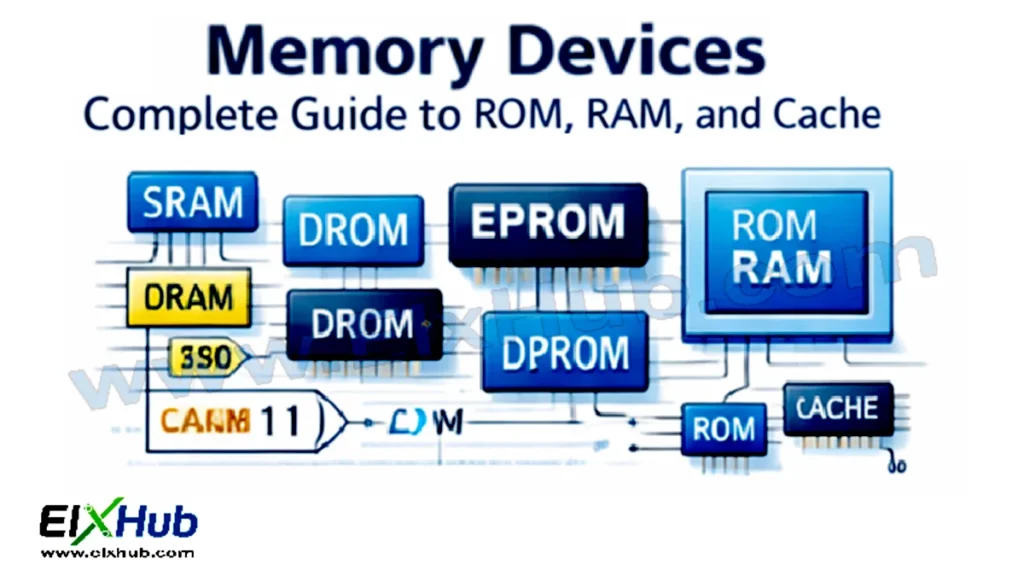
Memory devices are a fundamental part of digital electronics, responsible for storing data, instructions, and intermediate results during system operation. Every digital system, from simple microcontrollers to powerful computers and embedded devices, relies heavily on memory for correct and efficient functioning. Memory devices allow systems to remember information, execute programs, and interact with external hardware. Understanding how memory works, its types, characteristics, and applications is essential for anyone learning digital electronics or embedded systems.
This article provides a complete explanation of memory devices, including ROM, RAM, cache memory, working principles, classification, comparison tables, and real-world applications.
What Is Memory in Digital Electronics
Memory is an electronic component or system that stores binary information in the form of 0s and 1s. Memory stores data temporarily or permanently, depending on its type. Stored data can represent program instructions, variables, sensor readings, or system states.
Memory devices are built using flip-flops, latches, capacitors, or semiconductor cells and are accessed using address lines, data lines, and control signals.
Image Placeholder (Horizontal): Basic memory block diagram showing address, data, and control lines
Classification of Memory Devices
Memory devices are broadly classified into two main categories:
- Primary Memory (Main Memory)
- Secondary Memory (Auxiliary Storage)
In digital electronics, the focus is primarily on primary memory, which includes ROM, RAM, and cache memory.
| Memory Type | Data Retention | Speed | Volatility |
|---|---|---|---|
| ROM | Permanent | Medium | Non-volatile |
| RAM | Temporary | High | Volatile |
| Cache | Temporary | Very High | Volatile |
Read Only Memory (ROM)
Read Only Memory (ROM) is a non-volatile memory used to store permanent data such as firmware, boot programs, and system initialization code. Data stored in ROM is retained even when power is turned off.
ROM is mainly used where data must not be changed frequently or accidentally.
Characteristics of ROM
• Non-volatile storage
• Data is written once or rarely
• High reliability
• Used for firmware and boot code
Image Placeholder (Horizontal): ROM internal structure diagram
Types of ROM
Mask ROM
Mask ROM is programmed during manufacturing and cannot be altered later. It is used in mass-produced devices.
PROM (Programmable ROM)
PROM allows the user to program it once after manufacturing. Once programmed, data cannot be changed.
EPROM (Erasable Programmable ROM)
EPROM can be erased using ultraviolet light and reprogrammed. It uses a quartz window for erasing.
EEPROM (Electrically Erasable Programmable ROM)
EEPROM allows electrical erasing and reprogramming without removing the chip from the circuit.
Flash Memory
Flash memory is a modern form of EEPROM that allows faster erase and write operations. It is widely used in USB drives, SSDs, and microcontrollers.
| ROM Type | Reprogrammable | Erase Method |
|---|---|---|
| Mask ROM | No | Not erasable |
| PROM | No | Not erasable |
| EPROM | Yes | UV light |
| EEPROM | Yes | Electrical |
| Flash | Yes | Electrical (block-wise) |
Random Access Memory (RAM)
Random Access Memory (RAM) is a volatile memory used to store data temporarily while a system is operating. It allows both reading and writing of data and provides fast access to information.
RAM loses all stored data when power is removed.
Characteristics of RAM
• Volatile storage
• High read/write speed
• Used for active programs and data
• Directly accessed by CPU
Image Placeholder (Horizontal): RAM block diagram with address and data bus
Types of RAM
Static RAM (SRAM)
SRAM stores data using flip-flops and does not require refreshing. It is very fast but expensive and consumes more power.
Dynamic RAM (DRAM)
DRAM stores data using capacitors and requires periodic refreshing. It is slower than SRAM but cheaper and used as main memory.
| Feature | SRAM | DRAM |
|---|---|---|
| Speed | Very fast | Slower |
| Cost | High | Low |
| Refresh Needed | No | Yes |
| Power Consumption | High | Low |
| Typical Use | Cache memory | Main system memory |
Image Placeholder (Horizontal): SRAM vs DRAM internal cell structure
Cache Memory
Cache memory is a high-speed memory located between the CPU and main memory. It stores frequently accessed instructions and data to reduce access time and improve system performance.
Cache memory is typically built using SRAM due to its high speed.
Characteristics of Cache Memory
• Extremely fast access
• Small storage size
• Reduces CPU waiting time
• Improves overall system speed
Image Placeholder (Horizontal): Cache memory hierarchy diagram
Levels of Cache Memory
Cache memory is divided into levels based on proximity to the CPU.
| Cache Level | Location | Speed | Size |
|---|---|---|---|
| L1 Cache | Inside CPU core | Fastest | Smallest |
| L2 Cache | Near CPU | Very fast | Medium |
| L3 Cache | Shared across cores | Fast | Larger |
Memory Hierarchy
Memory hierarchy is the organization of memory types based on speed, size, and cost.
Order from fastest to slowest:
- Registers
- Cache Memory
- RAM
- Secondary Storage
Image Placeholder (Horizontal): Memory hierarchy pyramid diagram
Memory Access Methods
Memory devices can be accessed using different methods depending on system design.
| Access Method | Description |
|---|---|
| Sequential | Data accessed in order |
| Direct | Data accessed by address |
| Random | Any location accessed directly |
| Associative | Access by content match |
Applications of Memory Devices
Memory devices are used extensively across digital systems:
• Firmware storage in embedded systems
• Program execution in computers
• Temporary data storage in microcontrollers
• Caching in CPUs
• Configuration storage in IoT devices
Image Placeholder (Horizontal): Memory devices used in microcontroller system
Common Beginner Mistakes
Many beginners struggle with memory concepts due to abstraction. Common mistakes include:
• Confusing RAM and ROM roles
• Assuming RAM stores data permanently
• Ignoring cache importance
• Misunderstanding memory hierarchy
• Overlooking refresh requirements in DRAM
Clear understanding of volatility and access speed helps avoid these errors.
FAQs
Why is ROM non-volatile but RAM volatile?
ROM uses permanent storage cells, while RAM relies on electrical charge that disappears when power is lost.
Why is cache memory faster than RAM?
Cache uses SRAM and is located closer to the CPU, reducing access time.
Can flash memory replace RAM?
No, flash memory is slower and unsuitable for continuous read/write operations required by RAM.
Why is memory hierarchy important?
It balances speed, cost, and storage capacity for optimal system performance.
Conclusion
Memory devices are the backbone of digital electronics, enabling data storage, program execution, and system performance optimization. ROM provides permanent storage for firmware, RAM enables fast temporary data handling, and cache memory bridges the speed gap between CPU and main memory. Understanding memory types, characteristics, hierarchy, and applications is essential for designing reliable digital systems, embedded projects, and computing devices. Mastery of memory concepts lays a strong foundation for advanced topics such as processors, operating systems, and embedded architecture.