Introduction
Microcontrollers are compact integrated circuits designed to govern specific tasks in embedded systems. Unlike general-purpose microprocessors, microcontrollers combine a CPU, memory, and input/output peripherals on a single chip. Programming microcontrollers allows engineers and hobbyists to create intelligent devices ranging from simple LED blinkers to complex industrial automation systems.
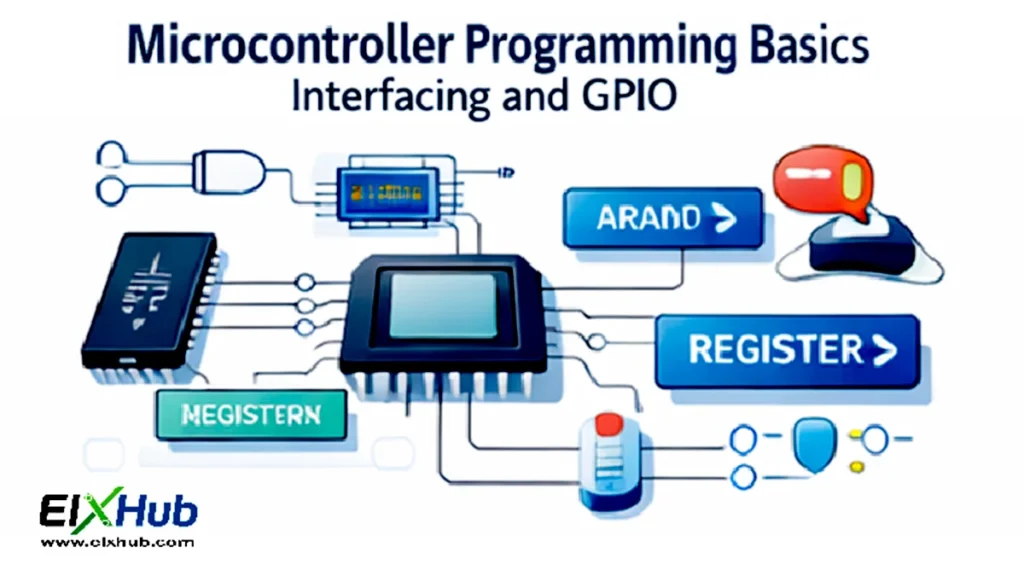
Understanding microcontroller programming fundamentals is essential for implementing digital electronics projects that require real-world interfacing. This article provides a deep dive into microcontroller programming basics, focusing on GPIO (General Purpose Input/Output), interfacing with external devices, practical programming concepts, and common applications.
Whether you are an electronics student, hobbyist, or professional, mastering GPIO control and peripheral interfacing opens the door to creating responsive, programmable hardware solutions.
What Are Microcontrollers?
A microcontroller is an embedded system on a single chip that contains:
A CPU (central processing unit)
Memory (RAM, ROM, Flash)
Peripherals and I/O ports
Timers and counters
Microcontrollers are optimized for real-time operations, low power consumption, and small form-factor applications.
[Image Placeholder: Basic block diagram of a microcontroller]
General Purpose Input/Output (GPIO) Overview
GPIO pins are versatile digital pins on microcontrollers that can be configured as inputs or outputs to interact with external devices. They form the foundation for almost all microcontroller interfacing tasks.
Input Pins
Input pins are used to read signals from switches, sensors, or other devices.
Key characteristics:
Detect high (1) or low (0) logic levels
May require pull-up or pull-down resistors
Fast response for digital signals
[Image Placeholder: Microcontroller input GPIO connected to a push-button]
Output Pins
Output pins are used to control external devices, such as LEDs, motors, or relays.
Key characteristics:
Provide high or low voltage to external loads
Limited current output; may require driver circuits
Capable of PWM output in advanced microcontrollers
[Image Placeholder: Microcontroller output GPIO controlling LED]
Configuring GPIO Pins
GPIO configuration typically involves:
Setting pin direction (input/output)
Enabling pull-up or pull-down resistors for inputs
Setting output logic levels
Enabling alternate functions if available (PWM, UART, SPI)
Example: Configuring GPIO in C (Pseudo Code)
// Configure pin 0 as output
GPIO_DIR |= (1 << 0);

// Set pin 0 high
GPIO_OUT |= (1 << 0);

// Set pin 0 low
GPIO_OUT &= ~(1 << 0);

// Configure pin 1 as input with pull-up
GPIO_DIR &= ~(1 << 1);
GPIO_PULLUP |= (1 << 1);
Interfacing with LEDs
One of the simplest interfacing exercises is blinking an LED using GPIO output.
Steps:
Connect LED in series with a current-limiting resistor to GPIO pin
Set GPIO as output
Toggle GPIO high and low with delay
[Image Placeholder: LED interfacing circuit diagram with microcontroller]
Interfacing with Switches
Switches are common input devices.
Steps:
Connect one terminal to GPIO input and the other to ground
Enable internal pull-up resistor
Read input state in software
Debouncing may be required to prevent false triggering.
[Image Placeholder: Switch interfacing diagram with microcontroller]
PWM (Pulse Width Modulation) Using GPIO
PWM allows microcontrollers to generate analog-like signals using digital outputs. Common applications:
LED dimming
Motor speed control
Audio signal generation
[Image Placeholder: PWM output waveform diagram]
Example: PWM Generation Code (Pseudo Code)
// Configure PWM frequency
PWM_PERIOD = 1000;

// Set duty cycle to 50%
PWM_DUTY = 500;

// Enable PWM output
PWM_ENABLE = 1;
Interfacing with Sensors
GPIO pins allow microcontrollers to read sensors such as:
Temperature sensors
Light sensors
Proximity sensors
Analog sensors require ADC (Analog-to-Digital Converter) pins.
[Image Placeholder: Temperature sensor connected to microcontroller]
Reading Analog Sensor Values
// Select ADC channel
ADC_CHANNEL = 0;

// Start conversion
ADC_START = 1;

// Wait for conversion complete
while(!ADC_DONE);

// Read digital value
sensor_value = ADC_RESULT;
Interfacing with External Memory
Microcontrollers can communicate with external EEPROM, Flash, or RAM through GPIO-based protocols like SPI or I2C.
[Image Placeholder: SPI memory interfacing diagram]
Example: SPI Communication Steps
- Set clock, MISO, MOSI pins as outputs/inputs
- Select device using chip-select pin
- Send command and data via SPI
- Read response from device
Interrupts and GPIO
Microcontrollers can use interrupts to respond to external events immediately, improving system responsiveness.
Example:
Button press triggers an interrupt
ISR (Interrupt Service Routine) executes specific code
[Image Placeholder: GPIO interrupt block diagram]
Practical Applications of GPIO Interfacing
GPIO interfacing enables a wide variety of real-world applications:
- LED indicators and displays
- Keypads and user input
- Motor control using H-bridge drivers
- Sensors and environmental monitoring
- Communication with external devices via SPI/I2C
Best Practices in GPIO Programming
- Avoid floating input pins; use pull-ups or pull-downs
- Respect voltage and current limits of GPIO pins
- Debounce switches in software or hardware
- Use timers and interrupts for precise control
- Modularize code for easy reuse
Conclusion
Mastering microcontroller programming basics, especially GPIO configuration and interfacing, is fundamental to creating functional embedded systems. By understanding input/output pin behavior, implementing PWM, reading sensors, and controlling external devices, you can build robust digital electronics projects. Whether for hobbyist experimentation or professional embedded system design, GPIO programming forms the heart of practical microcontroller applications.
Image Reference Table
| Filename | Description | Alt Text |
|---|---|---|
| microcontroller-block.png | Microcontroller block diagram | microcontroller architecture |
| gpio-input.png | Microcontroller input GPIO | microcontroller input pin |
| gpio-output.png | Microcontroller output GPIO | microcontroller output pin |
| led-interface.png | LED interfacing with microcontroller | LED GPIO interfacing |
| switch-interface.png | Switch interfacing with microcontroller | Switch GPIO input |
| pwm-waveform.png | PWM output waveform | PWM waveform diagram |
| sensor-interface.png | Temperature sensor interfacing | Sensor GPIO input |
| spi-interface.png | SPI external memory interfacing | SPI interfacing |
SEO Title
Microcontroller Programming Basics – GPIO and Device Interfacing Guide
Meta Description
Learn microcontroller programming basics with GPIO configuration, LED, switch, sensor interfacing, PWM, and external memory communication.